Python turtle で花火
はじける花火、ゆっくり落ちる火花、そして新年のあいさつ。tracer と ontimer で 1 コマずつ描くアニメーションです。
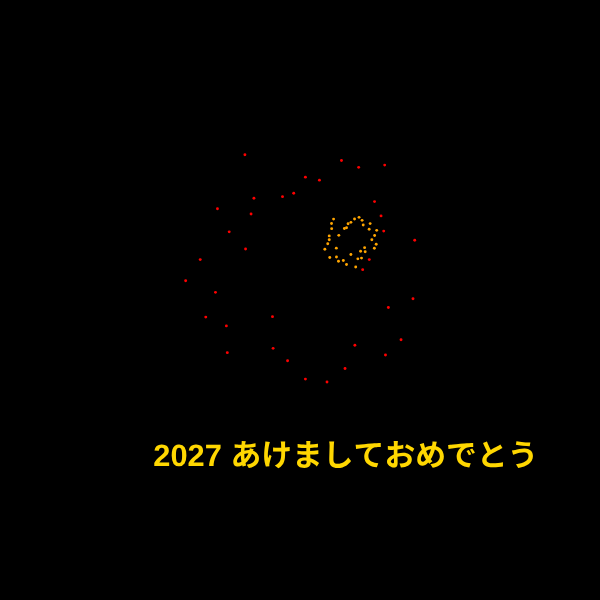
コード全体(51 行)
import turtle
import random
import math

screen = turtle.Screen()
screen.setup(600, 600)
screen.bgcolor("black")
screen.tracer(0)
pen = turtle.Turtle()
pen.hideturtle()
pen.penup()

colors = ["red", "gold", "deepskyblue", "magenta", "lime", "orange", "white"]
# 火花ひとつ:[x, y, 右への速さ, 上への速さ, 色, 残りのフレーム数]
sparks = []
frame = 0


def boom(x, y):
    color = random.choice(colors)
    for i in range(36):
        angle = 2 * math.pi * i / 36
        speed = random.uniform(2.5, 5.5)
        sparks.append([x, y, math.cos(angle) * speed, math.sin(angle) * speed, color, 45])


def step():
    global frame, sparks
    pen.clear()
    # 25 フレームごとに花火をひとつ
    if frame % 25 == 0 and frame < 200:
        boom(random.randint(-200, 200), random.randint(20, 220))
    for s in sparks:
        s[0] += s[2]
        s[1] += s[3]
        s[3] -= 0.1          # 重力:火花はだんだん落ちる
        s[5] -= 1
        pen.goto(s[0], s[1])
        pen.dot(4, s[4])
    sparks = [s for s in sparks if s[5] > 0]
    pen.goto(0, -240)
    pen.color("gold")
    pen.write("2027 あけましておめでとう", align="center", font=("Arial", 32, "bold"))
    screen.update()
    frame += 1
    if frame < 260:
        screen.ontimer(step, 40)


step()
turtle.done()
どうやって描いているか
アニメーションは 1 コマずつ描きます。screen.tracer(0) で自動更新を止め、毎コマ pen.clear() で前のコマを消してすべての火花を描き、screen.update() でまとめて表示します。
screen.ontimer(step, 40) で 40 ミリ秒後にもう一度 step を呼びます。1 秒に約 25 コマです。
火花 1 つはリスト [x, y, 右への速さ, 上への速さ, 色, 残りのコマ数] です。毎コマ位置が速さの分だけ動き、上への速さが 0.1 ずつ減ります。これが重力です。
花火がはじけると 36 個の火花が 36 方向に飛びます。方向は math.cos と math.sin で計算します。
よくある質問
tracer(0) と update() は何のため?
これがないと点を 1 つ描くたびに画面が更新され、何百もの火花がちらついて遅くなります。自動更新を止めれば、1 コマをまとめて表示できて動きがなめらかになります。
ontimer の代わりに while True を使えますか?
自分のパソコンでは time.sleep と組み合わせて使えますが、ontimer のほうがウィンドウが固まらず良い方法です。このページでは while True は終わらないので ontimer を使ってください。
 クリスマスツリー電飾、星、雪、メッセージ
 動くクリスマスツリーライトが点滅し、雪が降る
 ハート半円 2 つでできたハート
 雪の結晶どんどん細かくなるコッホ曲線