Python Turtle Fireworks
Fireworks burst, the sparks slowly fall, and a New Year greeting. It is an animation: drawn frame by frame with tracer and ontimer.
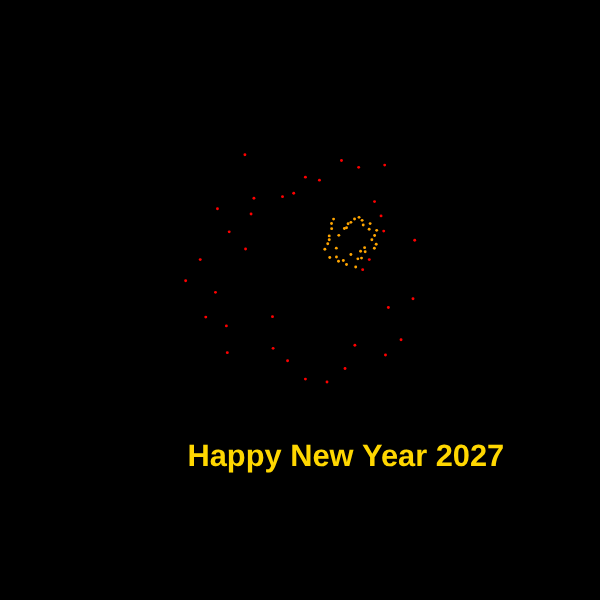
The full code (51 lines)
import turtle
import random
import math

screen = turtle.Screen()
screen.setup(600, 600)
screen.bgcolor("black")
screen.tracer(0)
pen = turtle.Turtle()
pen.hideturtle()
pen.penup()

colors = ["red", "gold", "deepskyblue", "magenta", "lime", "orange", "white"]
# each spark: [x, y, speed right, speed up, color, frames left]
sparks = []
frame = 0


def boom(x, y):
    color = random.choice(colors)
    for i in range(36):
        angle = 2 * math.pi * i / 36
        speed = random.uniform(2.5, 5.5)
        sparks.append([x, y, math.cos(angle) * speed, math.sin(angle) * speed, color, 45])


def step():
    global frame, sparks
    pen.clear()
    # a firework every 25 frames
    if frame % 25 == 0 and frame < 200:
        boom(random.randint(-200, 200), random.randint(20, 220))
    for s in sparks:
        s[0] += s[2]
        s[1] += s[3]
        s[3] -= 0.1          # gravity: sparks slowly fall
        s[5] -= 1
        pen.goto(s[0], s[1])
        pen.dot(4, s[4])
    sparks = [s for s in sparks if s[5] > 0]
    pen.goto(0, -240)
    pen.color("gold")
    pen.write("Happy New Year 2027", align="center", font=("Arial", 32, "bold"))
    screen.update()
    frame += 1
    if frame < 260:
        screen.ontimer(step, 40)


step()
turtle.done()
How it is drawn
An animation is drawn one frame at a time: screen.tracer(0) turns automatic updates off; each frame pen.clear() wipes the last one, every spark is drawn, and screen.update() shows the frame all at once.
screen.ontimer(step, 40) calls step again 40 milliseconds later: about 25 frames a second.
Each spark is a list [x, y, speed right, speed up, color, frames left]. Every frame its position moves by its speed, and its upward speed drops by 0.1 — that is gravity, so sparks fall in curves.
A burst sends 36 sparks in 36 directions, worked out with math.cos and math.sin (a full turn is 2π).
Want to write it yourself? Start with these lessons:for loops →functions (def) →lists →
Questions
Why tracer(0) and update()?
Otherwise the screen redraws after every single dot: hundreds of sparks flicker and crawl. With updates off, a whole frame is drawn and shown at once, so the animation is smooth.
Can I use while True instead of ontimer?
On your own computer, yes (with time.sleep), but ontimer is better: the window keeps responding. On this page a while True loop would never finish, so use ontimer.
 Christmas treeLights, a star, snow and a greeting
 Animated Christmas treeLights that blink, snow that falls
 HeartTwo half circles make a heart
 SnowflakeThe Koch curve, folded finer and finer