Python turtle でハート
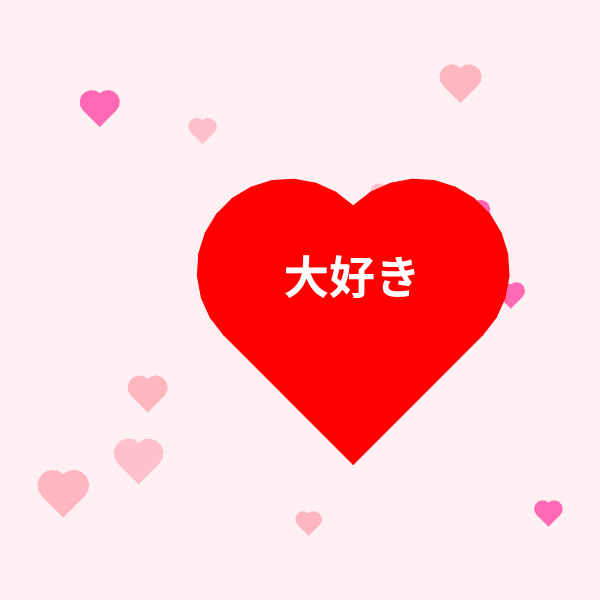
大きな赤いハートと、まわりに浮かぶ小さなハート。ハートは半円 2 つと直線 2 本でできています。
コード全体(37 行)
import turtle
import random

screen = turtle.Screen()
screen.bgcolor("#fff0f3")
t = turtle.Turtle()
t.hideturtle()
t.speed(0)


def heart(x, y, size, color):
    # ハートのいちばん下のとがったところから描く
    t.penup()
    t.goto(x, y)
    t.setheading(45)
    t.pendown()
    t.color(color)
    t.begin_fill()
    t.forward(size)
    t.circle(size / 2, 180)
    t.right(90)
    t.circle(size / 2, 180)
    t.forward(size)
    t.end_fill()


# まわりに浮かぶ小さなハート
for i in range(14):
    heart(random.randint(-260, 260), random.randint(-200, 200), random.randint(12, 26), random.choice(["pink", "hotpink", "lightpink"]))

# 真ん中の大きなハート
heart(0, -130, 160, "red")

t.penup()
t.goto(0, 10)
t.color("white")
t.write("大好き", align="center", font=("Arial", 30, "bold"))
どうやって描いているか
ハートはいちばん下のとがったところから描きます。setheading(45) で右上を向いて直線、circle(size / 2, 180) で半円、右に 90 度曲がってもう一度半円、最後に直線でとがったところに戻ります。
全体を begin_fill() と end_fill() ではさむので、形が塗りつぶされます。
関数 heart(x, y, 大きさ, 色) にまとめたので、大きいハートも小さいハート(場所と大きさは乱数)も同じ関数で描けます。
t.write(...) で真ん中に文字を書きます。align="center" で中央そろえです。
よくある質問
名前を書くには?
「編集」をタップし、write(...) の中の文字を変えて実行します。
ハートが傾いてしまう
先に setheading(45) で向きをそろえます。その前に曲がったまま描くとハートが傾きます。
 桜の木再帰で育つ、毎回ちがう木
 花火1 コマずつ描くアニメーション
 クリスマスツリー電飾、星、雪、メッセージ
 虹色のらせん角度ひとつで別の絵に